sklep@shudder.eu
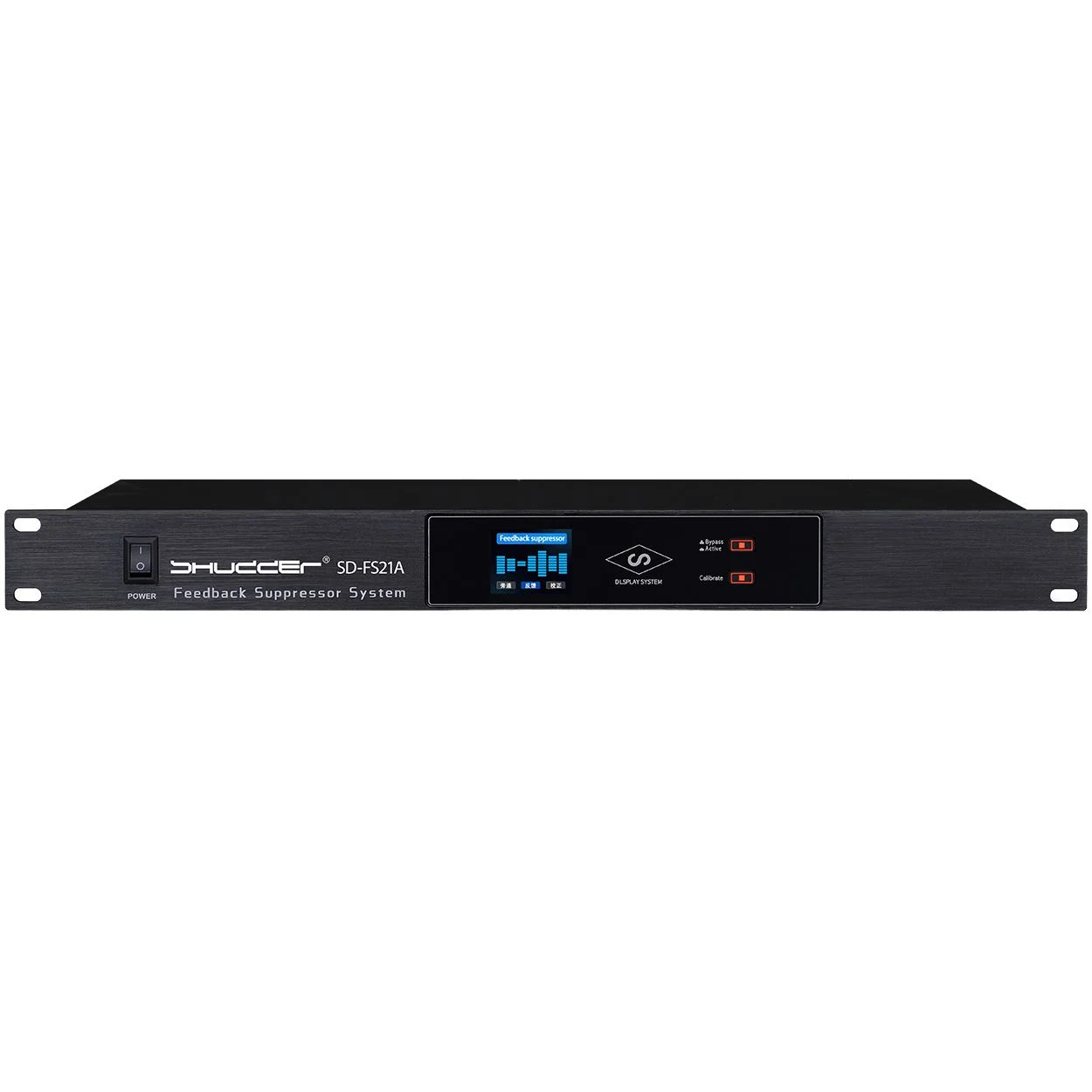
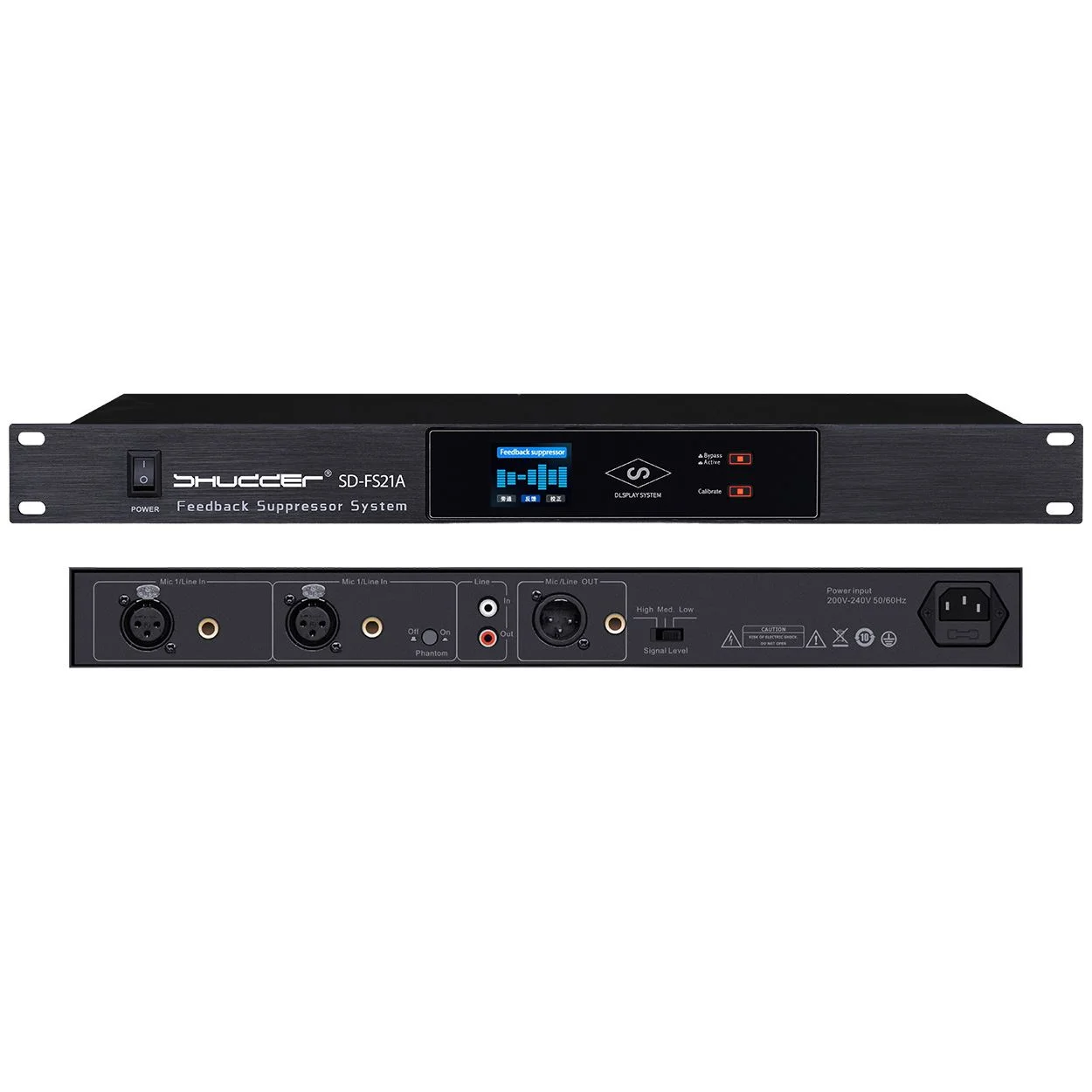
Shudder SD-FS21A Feedback Suppressor System – Automatic Feedback Eliminator
The Shudder SD-FS21A feedback suppressor is a digital unit that helps you get rid of that piercing squeal from the speakers when a microphone picks up sound from the PA system.
Description
The Shudder SD-FS21A feedback suppressor is a digital unit that helps you get rid of that piercing squeal from the speakers when a microphone picks up sound from the PA system. It works automatically: it detects the problem frequencies and reduces them, so you don't have to tune anything by hand. It fits into a rack cabinet (19", 1U) and works well in conference rooms, lecture halls, churches, banqueting suites and on small stages.
What is a feedback suppressor and why use one?
Feedback is the squeal or howl you hear when sound from a speaker travels back into a microphone, gets amplified again, and keeps looping round. It's most often heard when someone walks up to a speaker with a microphone, or when the volume is turned up too high. A feedback suppressor (also called a feedback eliminator) picks up this unwanted sound and reduces it before it gets loud. This means you can turn the microphones up without the risk of squealing, as long as the room's acoustics allow it.
How does the SD-FS21A feedback suppressor work?
Automatic adaptation to the room
The DSP processor adjusts to the room's acoustics in about 10 seconds. After that, the unit gives you an extra 6 to 12 dB of gain before feedback. In practice, this means you can run the microphone louder than before.
Quick one-button calibration
The unit doesn't need manual tuning. In a trickier room, simply press the calibration button. The suppressor will play a quiet test signal and tune the audio path within a few seconds.
BYPASS mode for comparing the sound
With one button you can switch off the processing and hear the unaltered signal. This is handy for checking how the suppressor is working, as well as for quick troubleshooting of the audio chain.
Inputs, outputs and phantom power
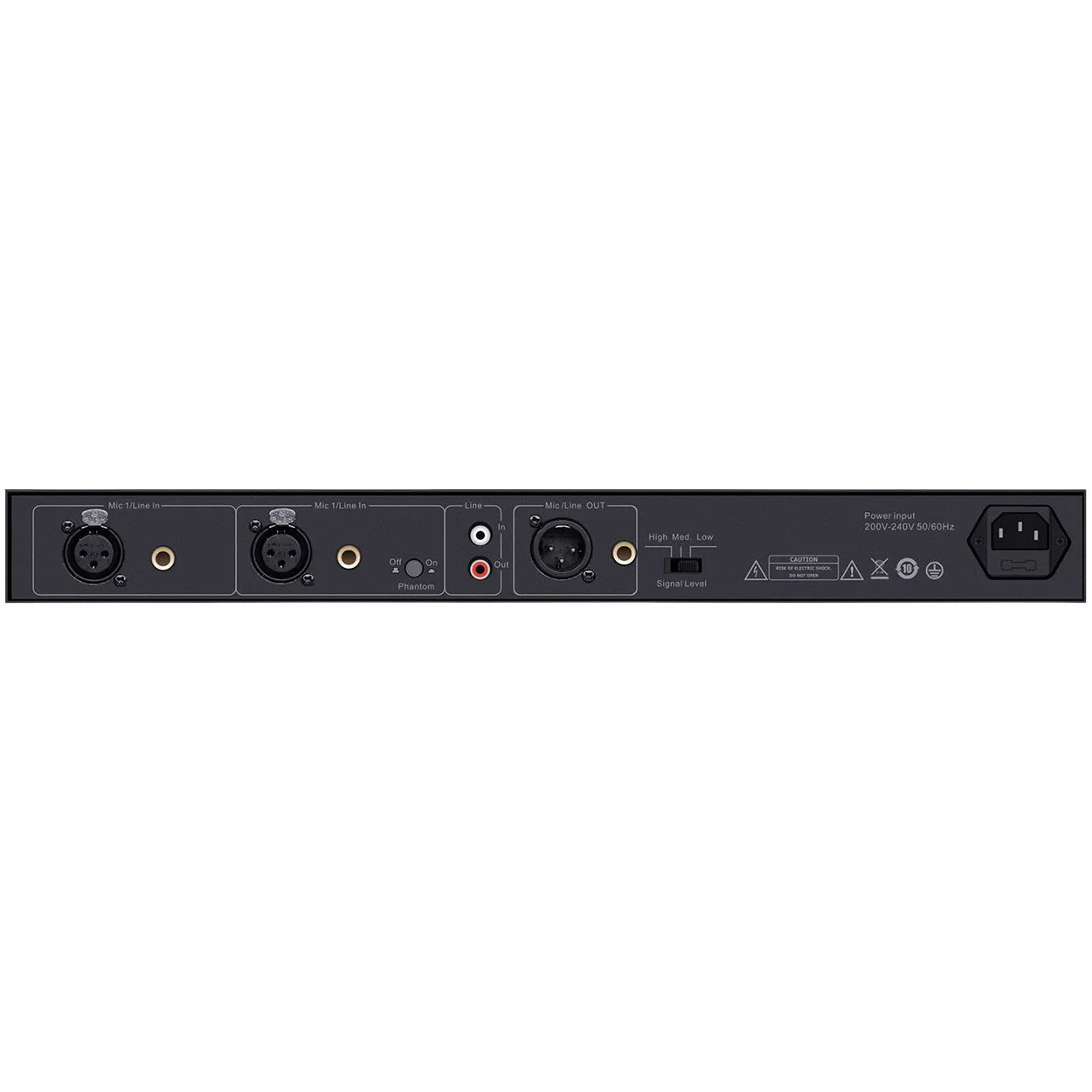
- 2 mic/line inputs with combo sockets (XLR + 6.35 mm jack),
- RCA line input and output (unbalanced), e.g. for a mixer's insert loop,
- main output – balanced XLR and 6.35 mm jack,
- +48 V phantom power switchable On/Off, for condenser microphones (you can connect dynamic ones too),
- SIGNAL LEVEL switch (HIGH / MED / LOW), which protects the input from overload,
- colour display showing the signal level and operating mode: ACTIVE, BYPASS or CALIBRATE.
Usage – how to connect a feedback suppressor
Direct connection
You connect microphones or wireless receivers straight to the suppressor, and its output to an amplifier or mixer. This is the simplest setup for small installations, such as a lectern or a lecture room.
Using the mixer's AUX loop
This is the recommended method for larger systems with several microphones. In this case, you place the suppressor in the mixer's signal path rather than in front of it.
Technical specification
| Parameter | Value |
|---|---|
| Model | Shudder SD-FS21A |
| Type | Digital feedback suppressor |
| Processor / sampling rate | DSP / 32 kHz |
| Frequency response | 125 Hz – 15 kHz |
| Distortion (THD) | < 0.1% (1 kHz) |
| Signal-to-noise ratio (S/N) | > 90 dB |
| Gain before feedback | 6 – 12 dB (after adaptation) |
| Inputs | 2 × combo (XLR / 6.35 mm jack), RCA Line In |
| Outputs | 1 × balanced XLR, 1 × 6.35 mm jack, RCA Line Out |
| Phantom power | Yes (switchable On/Off) |
| Power supply | AC 220–240 V, 50/60 Hz |
| Power consumption | max. 50 VA |
| Housing | 19" rack, 1U |
| Weight | 3 kg |
What to consider before buying
The 125 Hz – 15 kHz frequency range suits speech well. If you plan to use it with full-range music, keep this limitation in mind. A suppressor also won't replace good speaker and microphone placement. It gives you extra volume headroom, but it won't solve every problem with a room's acoustics.